Overview
The Messaging section is the central hub for communicating with your clients. It helps trainers stay in regular contact, answer questions, provide guidance, and share important updates — all without leaving BuddyPT.
Consistent, personalised communication is one of the biggest drivers of client engagement, motivation, and long-term retention. BuddyPT gives you four complementary tools so you can pick the right channel for each situation:
- One-on-One Messages — private conversations with a single client.
- Broadcast Messages — one message sent to many clients at once.
- Payment Reminders — automated nudges for upcoming or overdue payments.
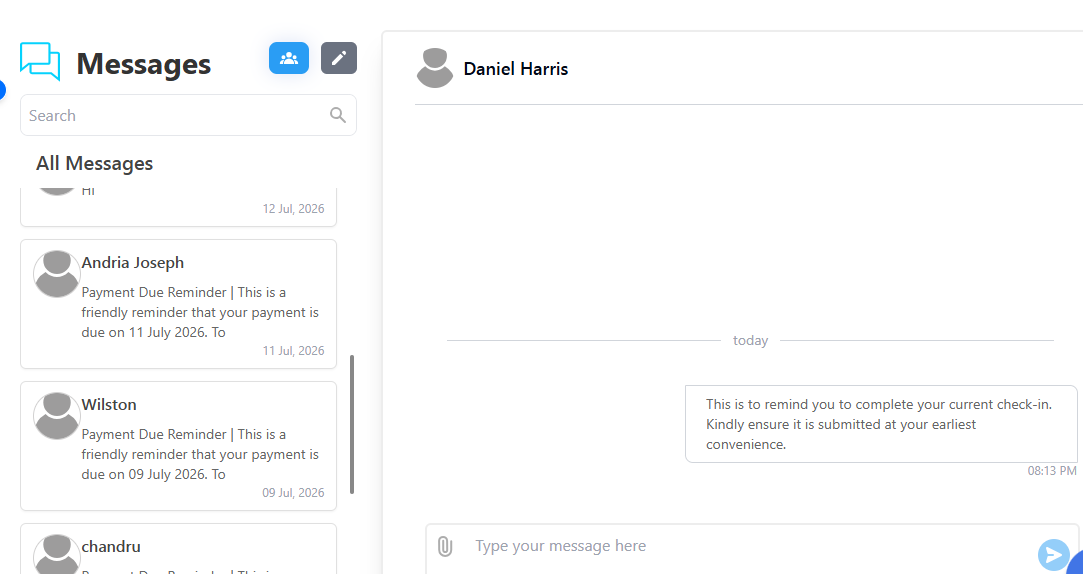
- Check-in Reminders — a one-click nudge for clients who haven't submitted their check-in yet.
One-on-One Messages
Use direct messaging when the conversation is specific to a single client. This is the right channel for anything personal, contextual, or private.
Common uses include:
- Answering client questions about their program.
- Providing workout form or technique guidance.
- Giving personalised nutrition advice.
- Following up after a check-in submission.
- Offering motivation, encouragement, and accountability.
How to send a one-on-one message
- 1Open Messages from the left navigation menu.
- 2Select the client you want to message from the client list.
- 3Type your message in the composer at the bottom of the conversation.
- 4Click Send.
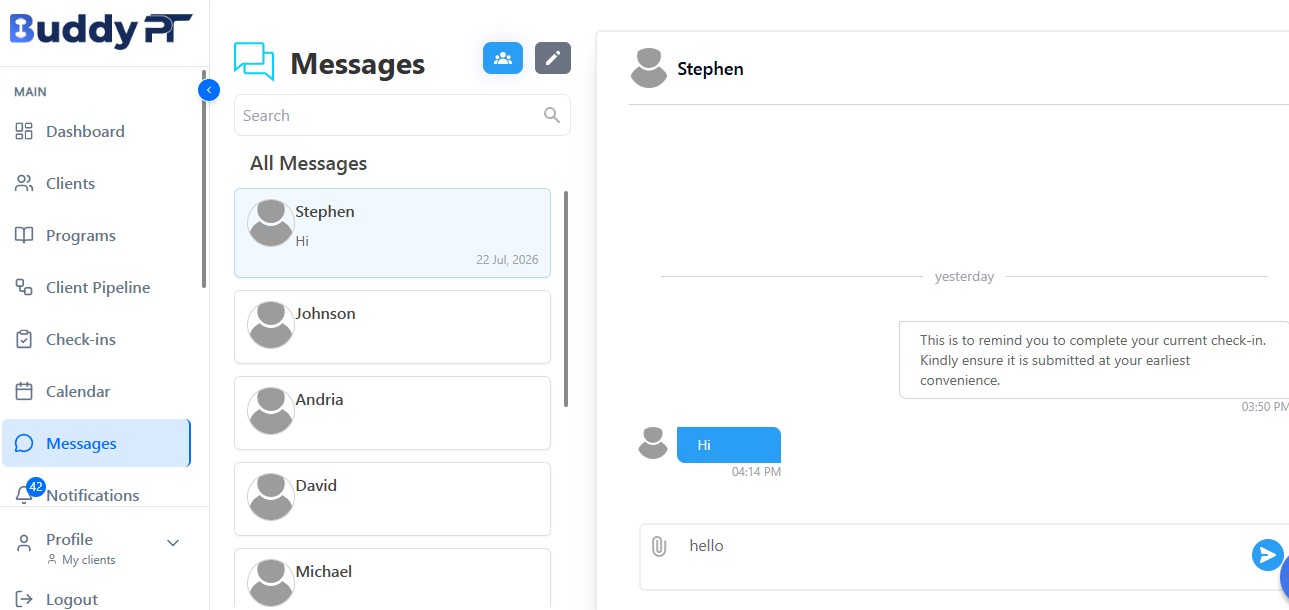
You can send messages just as easily from the Trainer App on your phone, which is useful when you're between sessions or on the gym floor.
Managing conversations
All conversations are automatically organised by client so nothing gets lost. From the Messages screen you can:
- View the full history of previous messages with a client.
- Continue existing conversations without losing context.
- Keep every client's communication history in one searchable place.
- Quickly track outstanding questions or follow-ups.
This keeps you informed about each client's coaching journey and makes it easy to pick up where you last left off.
Broadcast Messages
Broadcast messaging lets you send one message to multiple clients at the same time. It's the fastest way to share updates that apply to everyone (or a large group) without copy-pasting into individual chats.
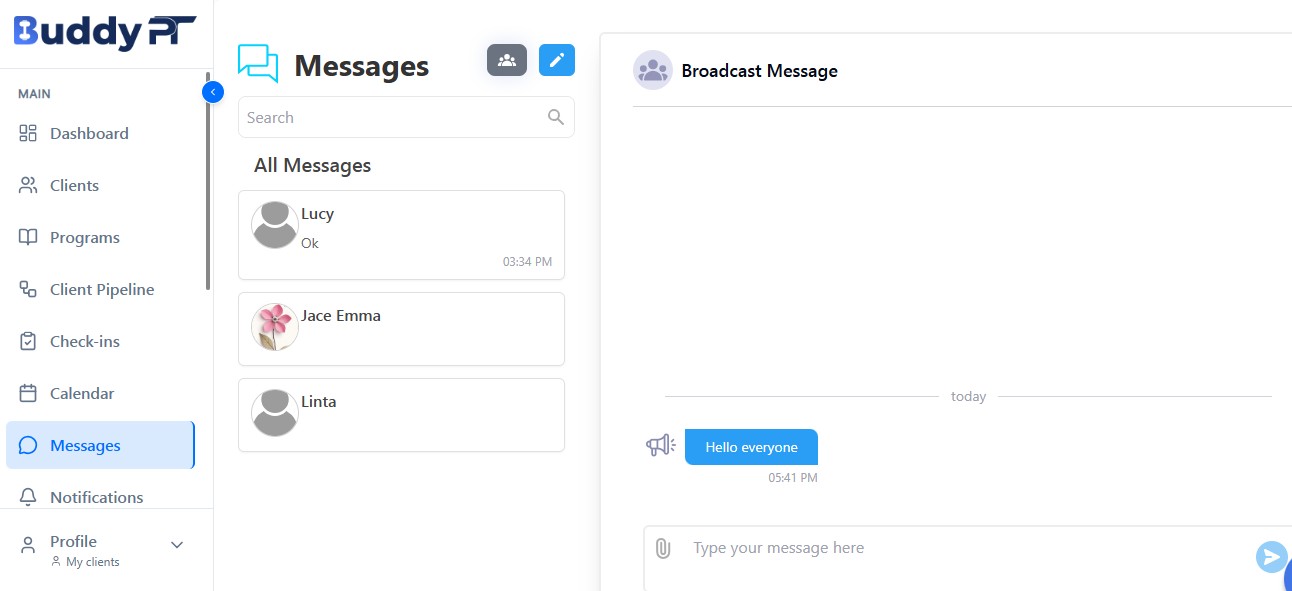
Broadcast messages are useful for:
- Holiday schedules and time-off notices.
- Gym or studio closures.
- New program or challenge launches.
- Coaching updates and policy changes.
- General announcements to keep your community informed.
Payment Reminders
BuddyPT can automatically remind clients about upcoming or overdue payments so you don't have to chase invoices by hand.
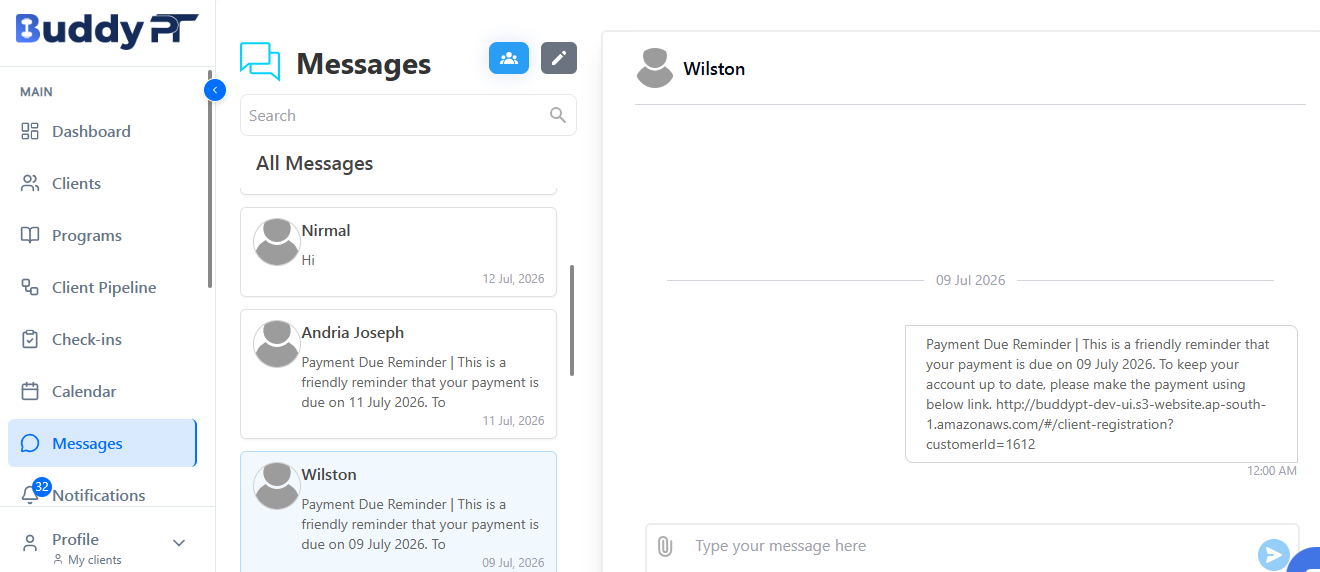
Automated reminders help you:
- Reduce missed and late payments.
- Keep subscriptions active and revenue predictable.
- Minimise awkward manual follow-ups.
Clients receive reminders before and after their payment due date, based on the schedule configured for your account. Reminders are only sent to clients on Automatic (Stripe) billing — see the Client Lifecycle Management articles for the full billing flow.
Check-in Reminders
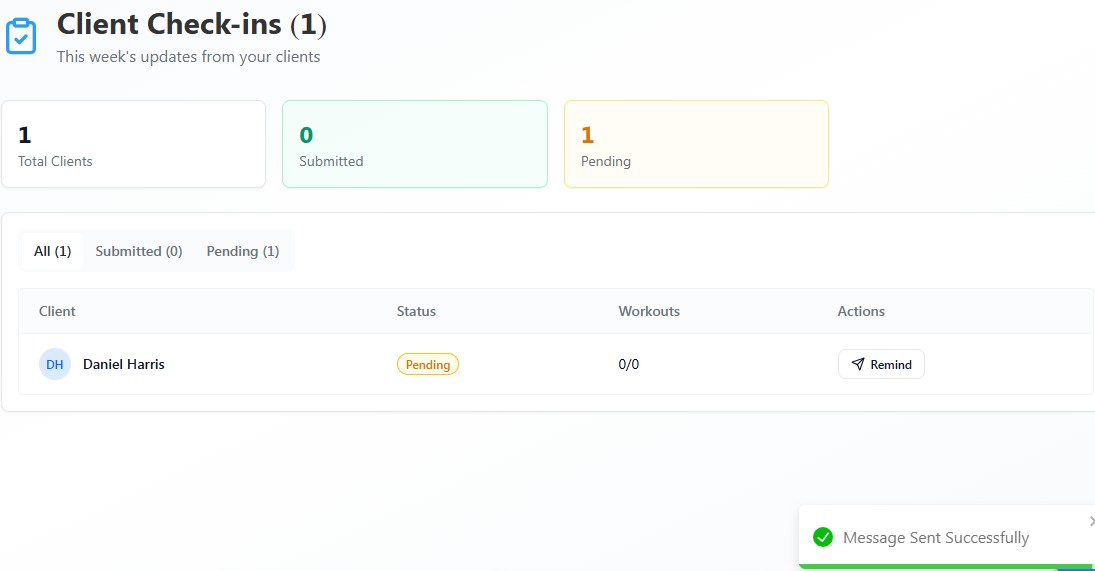
The Check-in Reminder feature lets you send a friendly nudge to any client who hasn't yet submitted their scheduled check-in. It's a single click and it goes straight into the client's Messages.
How to send a check-in reminder
- 1Log in to the BuddyPT Web App.
- 2Navigate to Check-ins from the left menu.
- 3Review the client list and identify clients with Pending status.
- 4Click the Remind button next to the client's name.
- 5A confirmation toast ("Message Sent Successfully") will appear.
The client receives the reminder as a normal message inside the BuddyPT Client App, along with a push notification prompting them to complete their check-in.