Conversion process
Once a lead is ready to buy, the Convert Lead flow turns their prospect card into a full client profile — no re-entering data, no lost context.
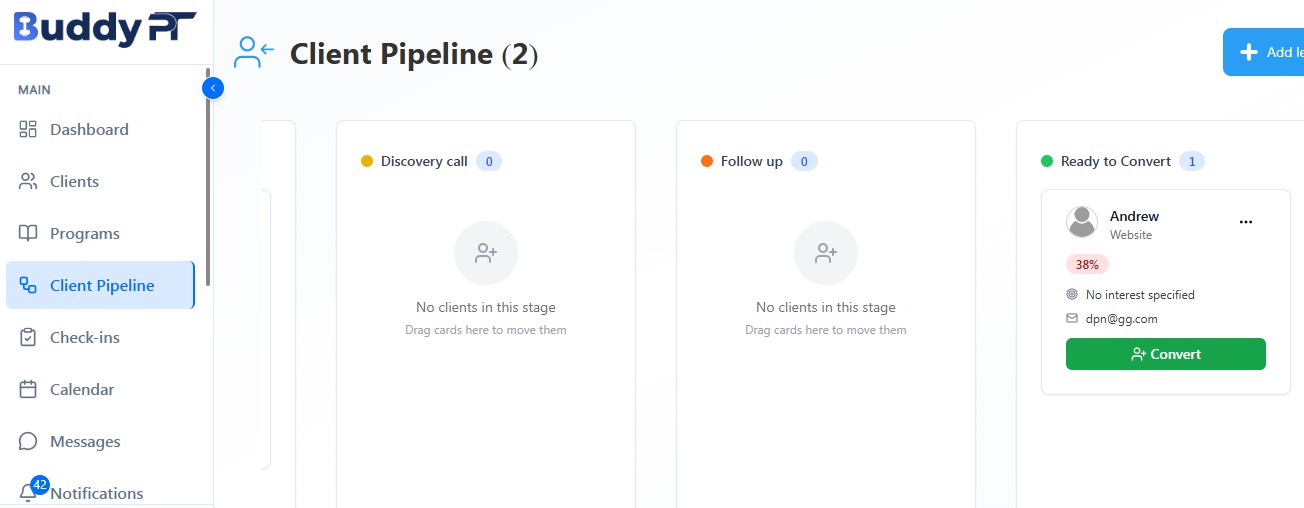
Step 1 — Move the lead to *Ready to Convert*
- 1Open Client Pipeline from the sidebar.
- 2Locate the lead and drag their card into the Ready to Convert column.
- 3Confirm all key details (goals, package, start date) are captured on the card.
Step 2 — Convert to client
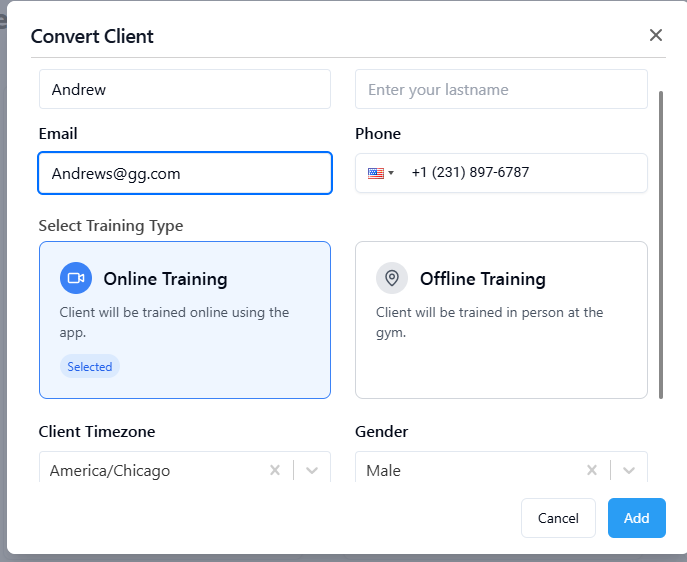
- 1Click Convert to Client on the lead card.
- 2Enter the required fields in the Convert popup.
- 3Click Add.
Step 3 — Client lands in Invitations
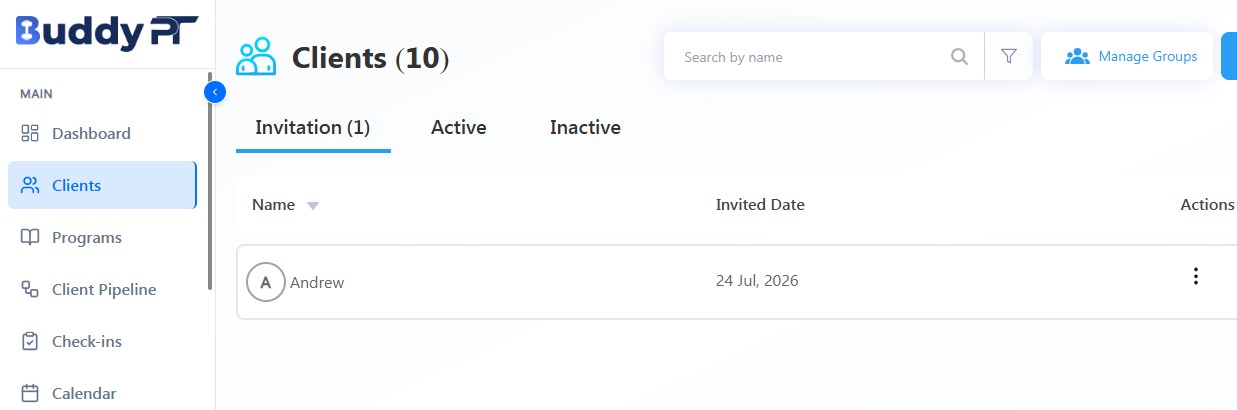
The newly created client appears in the Invitations stage on the Clients page. From there they'll receive an invite to download the BuddyPT Client App and complete onboarding.
Best practices for onboarding
- Convert quickly — momentum matters. Aim to convert within 24 hours of the client saying yes.
- Set expectations up front — confirm session frequency, check-in cadence and communication rules on the first call.
- Send a welcome message through the app the moment they accept the invite.
- Book the first check-in during onboarding so the client is committed from day one.
- Review notes from the lead phase — everything you learned during discovery still applies.
You're set
Once the client accepts the invitation and appears as Active, jump into Client Lifecycle Management to configure billing, programs and check-ins.