Two ways to manage clients
BuddyPT offers two client management modes depending on how you run your coaching business:
- Manual Mode – You control the client's status yourself.
- Automatic Mode (Stripe) – BuddyPT automatically manages client status based on Stripe subscription and payment status.
The mode you choose determines how BuddyPT manages client access throughout the client's coaching journey.
Where to configure it
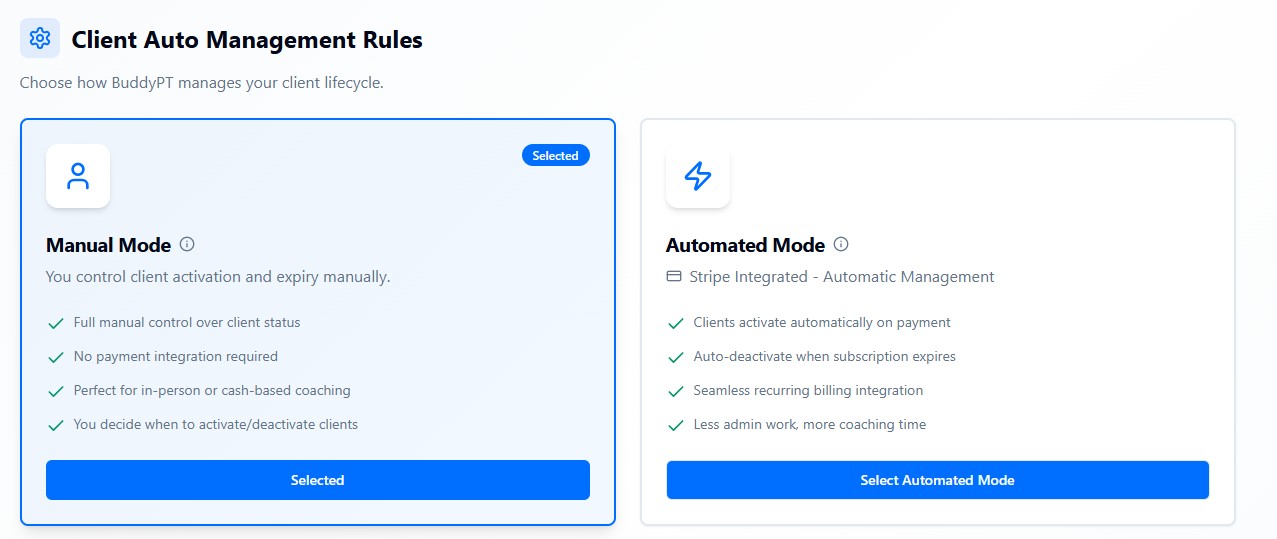
Navigate to Settings → Client Automation. You'll be asked to pick one of two automation modes.
Manual Mode
- Full manual control over client status
- No payment integration required
- Perfect for in-person or cash-based coaching
- You decide when to activate or deactivate clients
Automated Mode (Stripe Integrated)
- Clients activate automatically on payment
- Auto-deactivate when subscription expires
- Seamless recurring billing integration
- Less admin work, more coaching time
Tip
You can revisit Settings → Client Automation at any time to switch modes, but we recommend picking the one that fits your billing setup before you invite your first client.