What to check every day
The Dashboard is designed so you can run your entire morning triage in under ten minutes. Use the checklist below as a starting routine and adapt it to the size of your roster.
- 1Clear Needs Your Attention. Send payment reminders, assign programs to new clients, and message anyone flagged for low compliance.
- 2Skim Today's Performance. Note the compliance % and how many clients have already trained. Message the missed-workout clients while it's still early enough for them to fit the session in.
- 3Read fresh Client Activity. Reply to workout feedback, react to PRs, and answer any questions clients left overnight.
- 4Approve pending bookings. Head to the Calendar and clear any amber Pending tiles.
- 5Check Setup Progress (only if you're still onboarding). Knock out one setup task per day until you hit 100%.
Reviewing Client Activity
Every workout your clients complete in the Client App produces a piece of feedback — a rating, a comment, sometimes progress photos. The Client Activity feed on the Dashboard collects them all in real time so you can respond quickly.
- 1The client completes a workout in the BuddyPT Client App.
- 2They submit their workout feedback (rating, comment, optional photos).
- 3The entry appears in Client Activity on the Trainer Portal.
- 4You review it and reply directly with encouragement, clarification or a program tweak.
- 5The full thread stays on the client's profile for future reference.
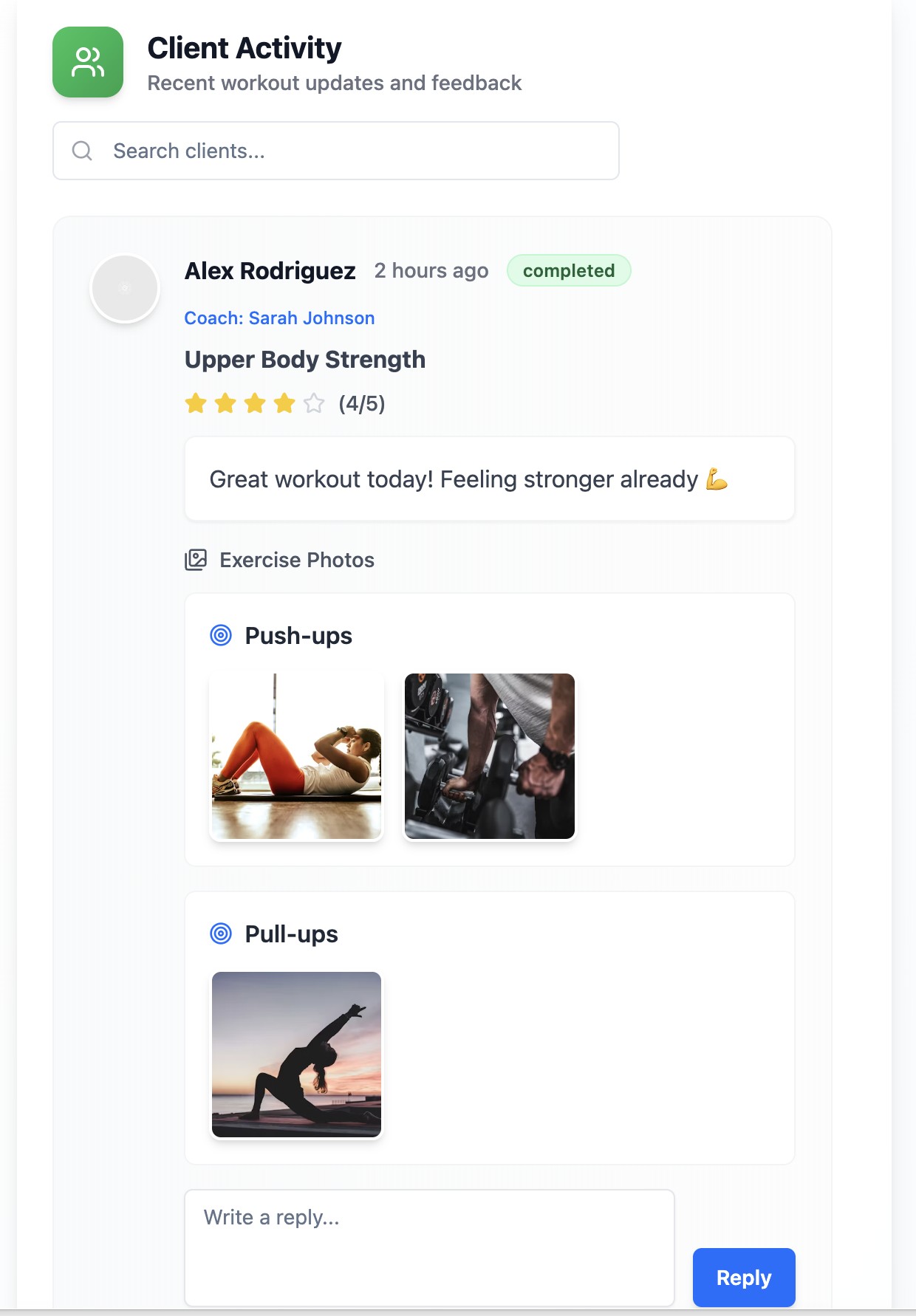
Real-world example
A client posts a 5-star rating after finishing *Upper Body Strength* with the note *'felt easier than last week'*. The coach replies within an hour: *'Great sign — I'll bump the DB press up 2.5 kg next session.'* That single reply is often the difference between a client who stays for six months and one who quietly drifts away.
Search a specific client
Use the search box above the Client Activity feed to filter by client name — useful when you want to catch up on one person's recent workouts before their next session.
Weekly rhythm
| When | What to review |
|---|---|
| Every morning | Needs Your Attention, Today's Performance, latest Client Activity. |
| Mid-week | Compliance trend across the week — are the same clients missing repeatedly? |
| End of week | Setup Progress (if still onboarding), and any clients who have gone inactive. |
Rule of thumb
If you can only spend 10 minutes on the platform today, spend them on the Dashboard. Everything else can wait.